

ORADI STUDENT GUIDE
How to submit Assignment 1.1 on your phone
Follow these six steps to submit your Lesson 1 Assignment and Practical Lab Pack.
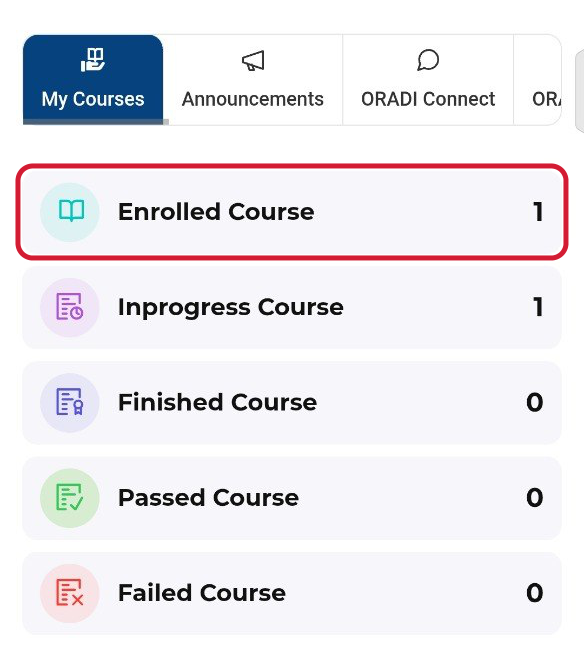
1. Tap Enrolled Course
Sign in to your ORADI Student Portal. Under My Courses, tap Enrolled Course, outlined in red below.
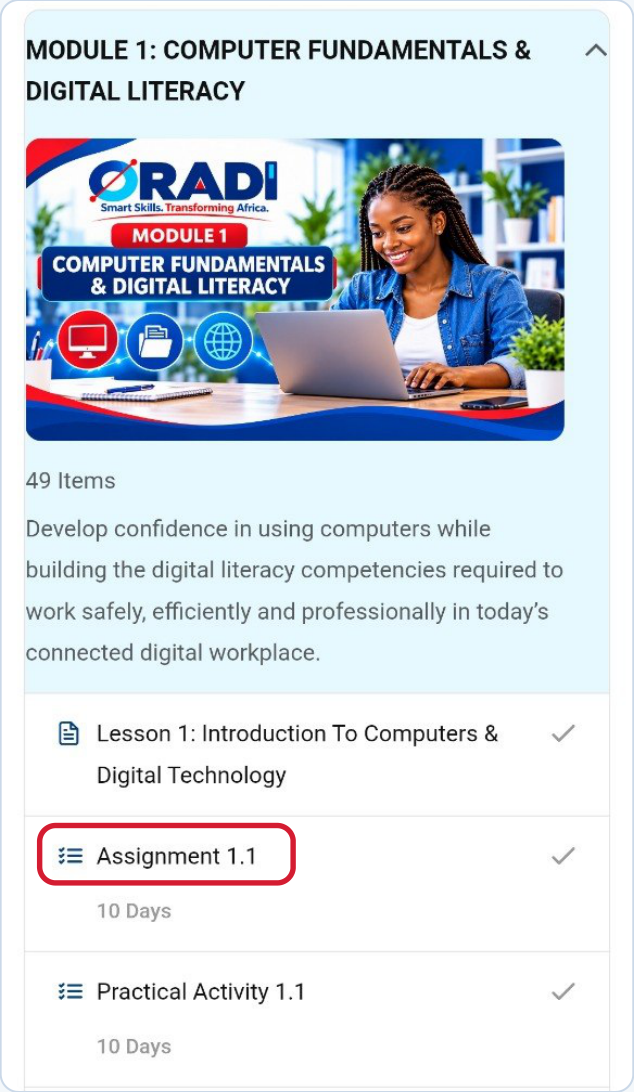
2. Find Assignment 1.1
Open Module 1 — Computer Fundamentals & Digital Literacy. Tap Assignment 1.1 directly below Lesson 1.
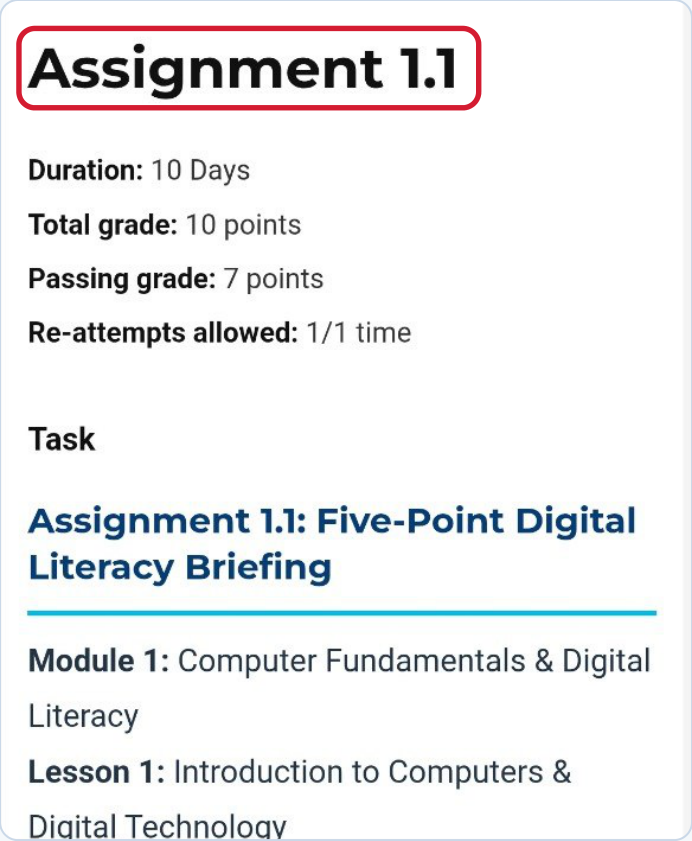
3. Read the assignment
Check that the page says Assignment 1.1. Read the instructions for the Five-Point Digital Literacy Briefing and check the deadline shown in your Student Portal.
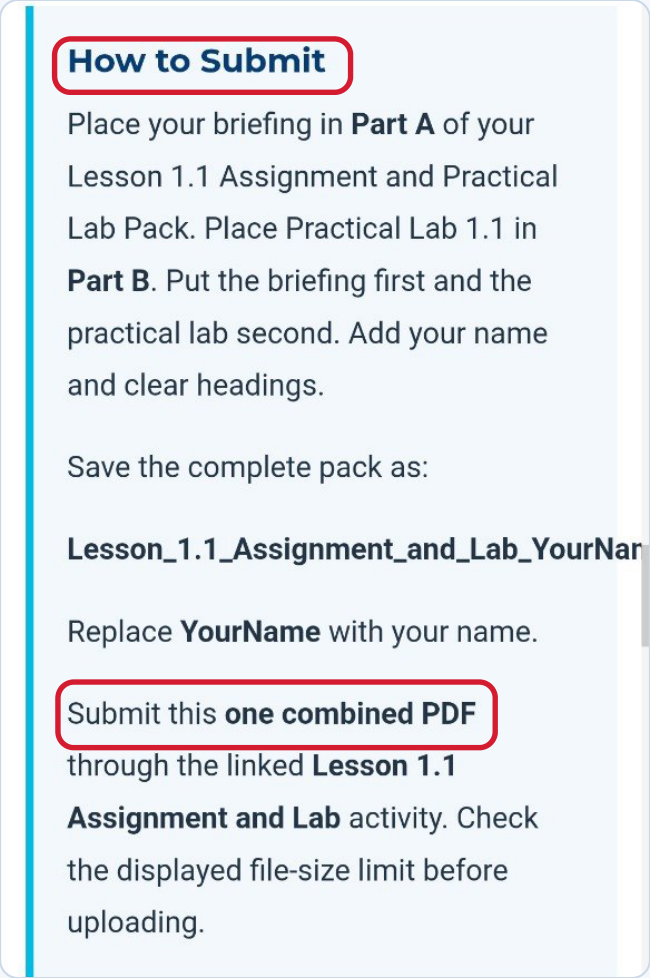
4. Prepare one combined PDF
Put your briefing first in Part A and Practical Lab 1.1 second in Part B. Add your name and clear headings.
Save the complete pack as Lesson_1.1_Assignment_and_Lab_YourName.pdf. Replace YourName with your own name.
5. Scroll down to the upload area
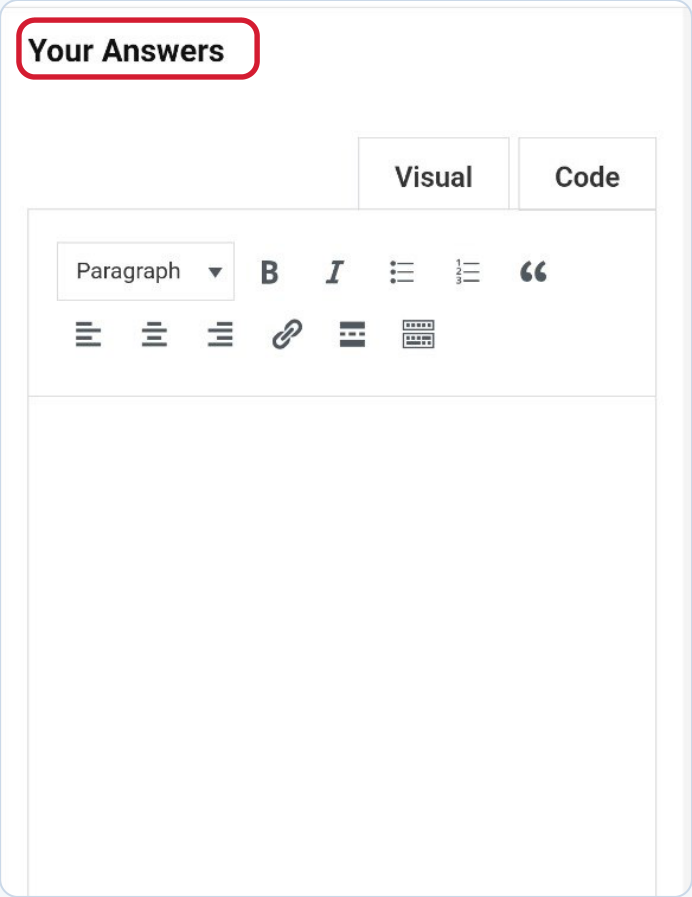
Scroll past the Your Answers box until you see Upload your file(s).
6. Choose your file and submit
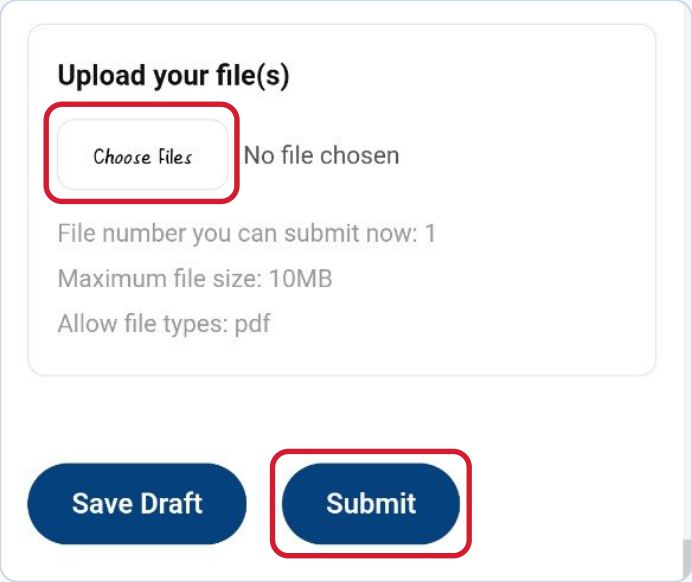
Tap Choose Files and select your saved PDF. You can upload one PDF of up to 10 MB.
When your filename appears, tap Submit and look for confirmation before leaving the page. Use Save Draft if you need to return and submit later.
ORADI | Smart Skills. Transforming Africa.






1 Comment
Thank you for this guidance Oradi.